RayNeo Air 4 Pro Review with DJI RC2 Controller

How To Show Clients Live Drone Footage (RayNeo Air 4 Pro Review)

The Problem: Clients Can’t See Drone Screens in Sunlight

When we're flying, clients often want to see what we see. That's not often convenient for either of us, with them having to peer over our shoulder while we try to get the best shots. Suddenly, what should feel like a premium experience turns into a struggle against glare and reflections.

That’s exactly the problem I wanted to solve when testing the RayNeo Air 4 Pro glasses with the DJI RC2. This isn’t a review about futuristic AR overlays. It’s about something much simpler — and arguably much more important: Can these glasses replace a tablet plugged into the RC2 as a client viewing solution during drone shoots?

After real-world testing, here’s what I found.

Setup & Compatibility: Plug in and Fly

The setup is refreshingly simple. Using the supplied USB-C to USB-C cable, the RayNeo Air 4 Pro connects directly to the DJI RC2 controller. The glasses mirror whatever appears on the controller screen — not the drone camera feed directly, but the full RC2 interface. (Sadly, they will not work with the RC-N3, as it does not support video output on the USB-C port).

That means that clients see a live camera feed that includes:

  • Telemetry data such as height, distance and speed
  • Camera or video settings, confirming that they are getting the highest quality
  • Every function we are performing, such as hyperlapses, waypoint missions, panoramicsetc.

In testing, the connection was completely plug-and-play, with the glasses display on within a few seconds of connection. During all tests the video was completely stable. The glasses run at 120MHz - enough for gaming - so can easily handle the relatively low requirements of the RC2 controller video output.

There was no perceptible latency between controller and glasses, which is crucial when clients are watching framing adjustments in real time.

On a side note, while not relevant when flying the drone, the glasses also include surround sound, courtesy of Bang and Olufsen.

Just plug the glasses in and the screen is instantly mirrored, with no lag.

Tablets are not easily viewable in bright sunlight

Tablets can barely be seen in daylight

Brightness: Where Tablets Fall Apart

This is where the RayNeo Air 4 Pro genuinely stands out. The glasses are rated at 1200 nits brightness. For comparison, many tablets used as field monitors range between 300–600 nits. Even premium models often struggle in direct sunlight.

In practical terms, using the RayNeo Air 4 Pro instead of a tablet means:

  • No sun hood required

  • No angling the screen to avoid glare

  • No squinting

  • No crowding around a reflective display

The image is projected inside the glasses, so ambient light doesn’t wash it out the way it does with tablets or phones. For particularly bright days, clip on black-out shades are also supplied as standard. For outdoor drone work — especially real estate, construction, and event coverage — this alone makes a strong case for glasses over traditional screens.

Using AR glasses during a drone shoot: Image Clarity & Viewing Experience

In use, image clarity is absolutely astounding. The central image is sharp - in fact, I've also used these glasses to check emails on my laptop! Colours are accurate, and the glasses even support HDR10 for even greater depth. It's easier to judge exposure and composition, and there is no visible lag. The screen resolution is 1080p (full HD). On one the side of the glasses is a rocker for brightness, allowing you to adjust it to your own preference. There is slight softness toward the extreme edges, but in real-world client viewing, this is unlikely to matter and this can generally be removed by adjusting the glasses position on your face.

Clients are typically looking at:

  • Framing the content you are filming for them

  • Angles of buildings

  • Roof condition

  • Landscaping layout

The overall experience feels immersive without being overwhelming. Importantly, I didn't feel any motion sickness throughout the duration of the flight.
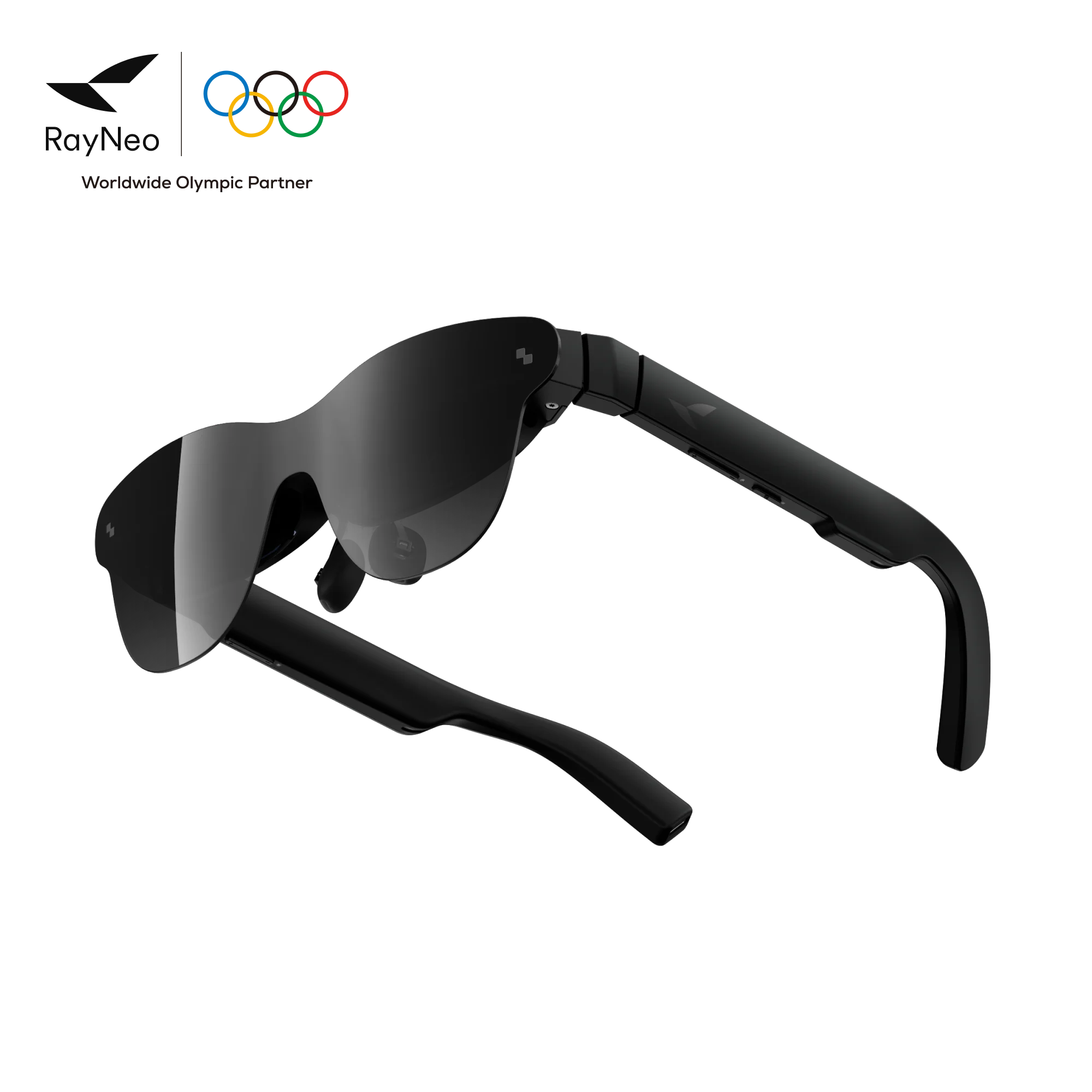
RayNeo Air 4 Pro AR glasses

Comfort & Real-World Practicality

At just 76 grams, the RayNeo Air 4 Pro glasses are extremely light. Most drone flights last around 20 minutes per battery, and wearing the glasses for a full flight never felt uncomfortable or heavy. From a social perspective, this may be one of the most underrated advantages, as from a distance, they look like sunglasses — not a bulky headset. You don't have a large clunky VR headset strapped to your face -  it's something subtle and modern.

Power Consumption & Field Setup

The glasses have no power of their own - instead they draw it from the DJI RC2 drone controller via USB-C. In longer sessions, that could contribute to battery drain. However, I use a USB-C power splitter connected to the controller, with a small power bank in my pocket. This allows supplemental power and mitigates this issue. For professional shoots, this makes the setup completely viable without worrying about shortening flight sessions.

Side view of RayNeo Air 4 Pro glasses

RayNeo Air 4 Pro vs Other Ways To Show Clients Drone Footage

The DJI RC2 controller has a built-in screen but its brightness can struggle in strong sunlight, which makes it difficult for clients to view the footage clearly. Here’s how the RayNeo Air 4 Pro compares as a client viewing solution against using a second phone or a tablet:

Feature RC2 Tablet Second Phone RayNeo Air 4 Pro
Sunlight visibility Average Poor–Average Poor-Average Excellent
Glare issues High High High Little to None
Professional appearance Moderate-High Moderate Low High
Immersion Low Low Low High
Portability High Medium High High
Setup speed High Medium Medium High

Tablets work — but only when conditions are perfect. Phones are convenient — but too small and reflective. The glasses, however, offer something different: A personal, immersive high-brightness viewing experience that works even in direct sun.

RayNeo AR Glasses and VLOS

Certainly in the UK, pilots must maintain VLOS (Visual Line of Sight) with their drone during the flight. While occasionally looking at a controller is acceptable, AR glasses would make maintaining VLOS more difficult. You are able to peer over the top of them, but switching your focus from that required to view the image provided by the glasses and then re-focusing to see the drone would be tiresome and would probably cause eye-strain. These glasses are a great hardware addition to allow others to view the flight, and would be useful for occasionally framing a shot, but should not (in our opinion) be considered as an outright replacement for the controller.

Final Verdict

The RayNeo Air 4 Pro glasses aren't just an AR gadget. When paired with the DJI RC2, they become a highly practical client monitor — one that solves the biggest weakness of tablets and phones in drone work: sunlight visibility. It’s lightweight, bright, socially unobtrusive, and completely lag-free in testing. This gives clients a front-row seat to live drone footage — even in bright midday sun and turns the process of work into a unique, enjoyable experience.

Next steps:

Now that you know how AR can enhance any drone project, why not experience it for yourself. Request a quote for our drone services. During the flight you'll be able to see it first hand.

This review was not sponsored by Rayneo in any way.